

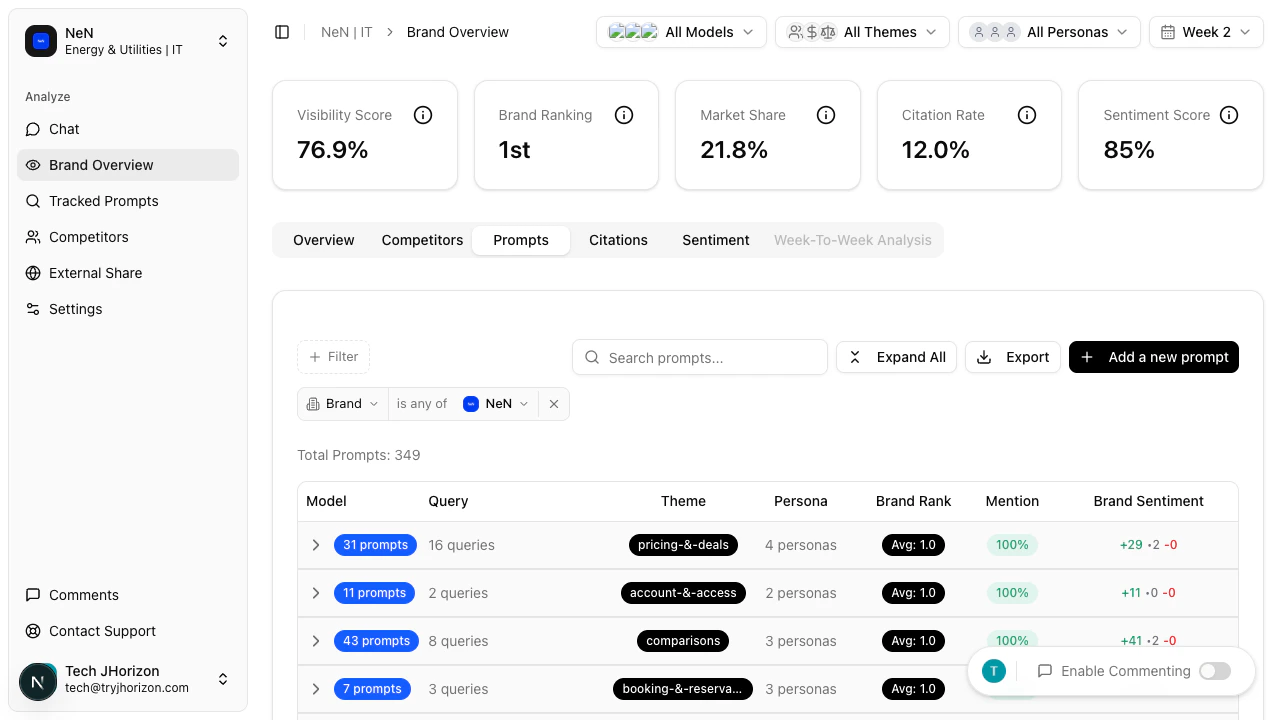
Theme groups
Switch to the Prompts tab on the dashboard to see prompts grouped into the following themes. Each theme row is expandable — click a theme to reveal the individual prompts within that group and their per-prompt metrics.- How-To Guides — instructional and tutorial-style prompts
- Pricing & Deals — prompts related to cost, pricing, and promotions
- Comparisons — prompts that compare brands or products
- Booking & Reservations — prompts about booking, scheduling, and reservations
- Reviews & Opinions — prompts seeking recommendations or reviews
- Features & Amenities — prompts about product capabilities and features
- Account & Access — prompts related to account management and access
- Support & Contact — prompts about customer support and contact information
Metrics per prompt
Each prompt displays three metrics:This tab displays performance for prompts your organization is already tracking. To add, remove, or manage tracked prompts, see Tracked prompts.
Related pages
- Metrics reference — definitions for Brand Rank, Mention Rate, and Sentiment
- Tracked prompts — manage and add tracked prompts