

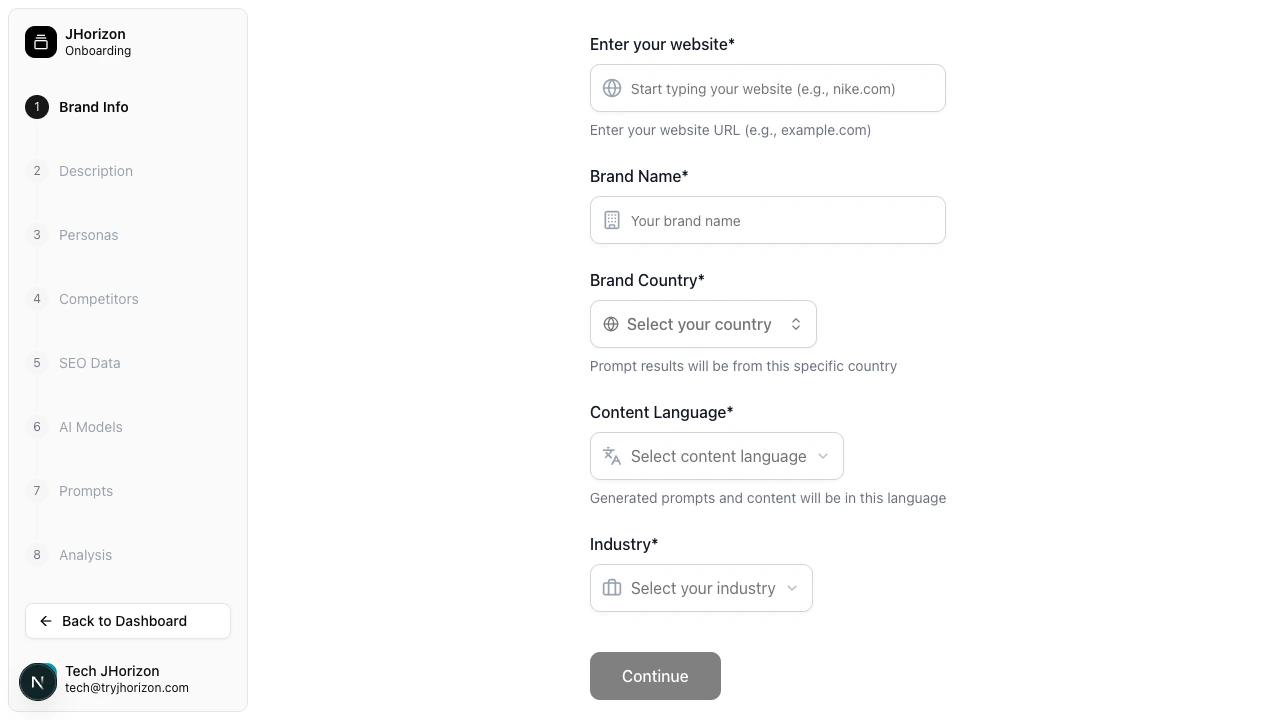
Onboarding wizard
1
Brand info
Enter your brand’s core details:
2
Brand description
Describe what your brand offers. J-Horizon uses this information to evaluate how accurately AI search engines represent your brand.
3
Customer personas
Define your target customer segments. Personas shape how J-Horizon evaluates AI responses by providing audience context.Add one or more personas with demographics, motivations, pain points, goals, and search behavior details. Each persona gets its own card with an avatar selector.
4
Competitors
Add the brands you want to compare against. J-Horizon tracks how these competitors appear alongside your brand in AI-generated responses.Enter competitor names and websites to include them in your analysis.
5
SEO data
Provide search-related information that helps J-Horizon understand your brand’s positioning:
- Brand Keywords — The keywords and terms associated with your brand. Include product names, category terms, and common search phrases.
- Target Audience — Describe who you want to reach through AI search engines. 1,600 character limit.
Keywords improve the accuracy of your analysis. Include both branded terms (your brand name, product names) and unbranded terms (category keywords, industry terms).
6
AI models
Select which AI platforms to monitor. Available options include ChatGPT, Claude, Gemini, Perplexity, and others.You can monitor all available platforms or focus on specific ones relevant to your audience.
7
Tracked prompts
Add the initial search queries you want to monitor. These are the prompts J-Horizon submits to each selected AI platform to track how your brand appears in responses.You can also click AI Generate to have J-Horizon suggest prompts based on your brand profile. See Platform limits for prompt capacity details.
8
Start analysis
Review your configuration across all previous steps. Confirm that brand details, competitors, AI models, and tracked prompts are correct, then click Start Analysis to launch your first analysis run.The initial analysis typically takes a few minutes depending on the number of tracked prompts and AI models selected. You can navigate away from this page — the analysis continues in the background.
After setup
Once you complete the wizard, your new organization appears in Your Organizations with an “Analysis Running” indicator. The first analysis typically takes a few minutes depending on the number of tracked prompts and AI models selected. When the analysis completes, your dashboard populates with visibility scores, citations, sentiment data, and competitive positioning.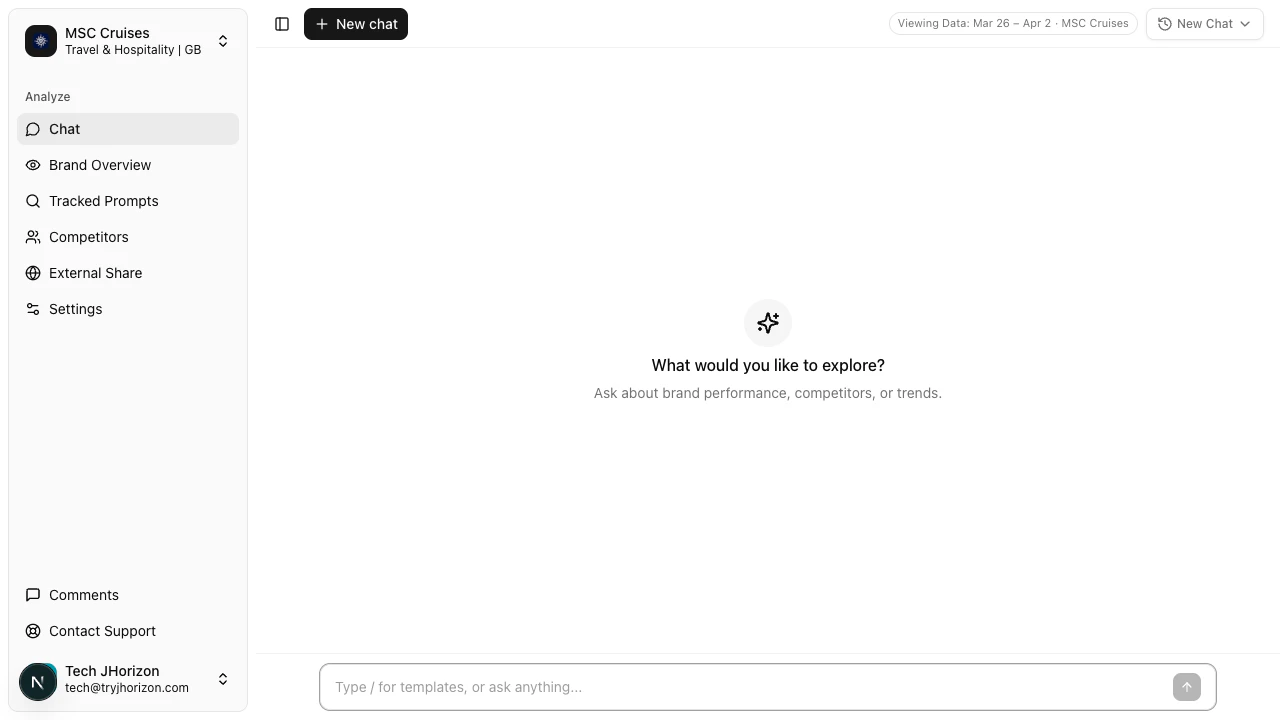
Troubleshooting
Cannot proceed to the next step
Cannot proceed to the next step
All required fields in the current step must be completed before you can proceed. Check for empty required fields, invalid URL formats, or missing selections. The wizard highlights fields that need attention.
Analysis seems stuck
Analysis seems stuck
The first analysis run may take several minutes depending on the number of tracked prompts and AI models. If the “Analysis Running” indicator persists for more than 15 minutes, refresh the page. If the issue continues, contact support.
Industry not in dropdown
Industry not in dropdown
The industry dropdown contains a fixed list of categories. If your specific industry is not listed, select the closest match. You can provide additional industry context in the Brand Description step.
Next steps
Configure your brand profile
Edit brand details, keywords, and variations.
Customer personas
Define target customer segments for your analysis.
AI model selection
Choose which AI platforms to monitor.