

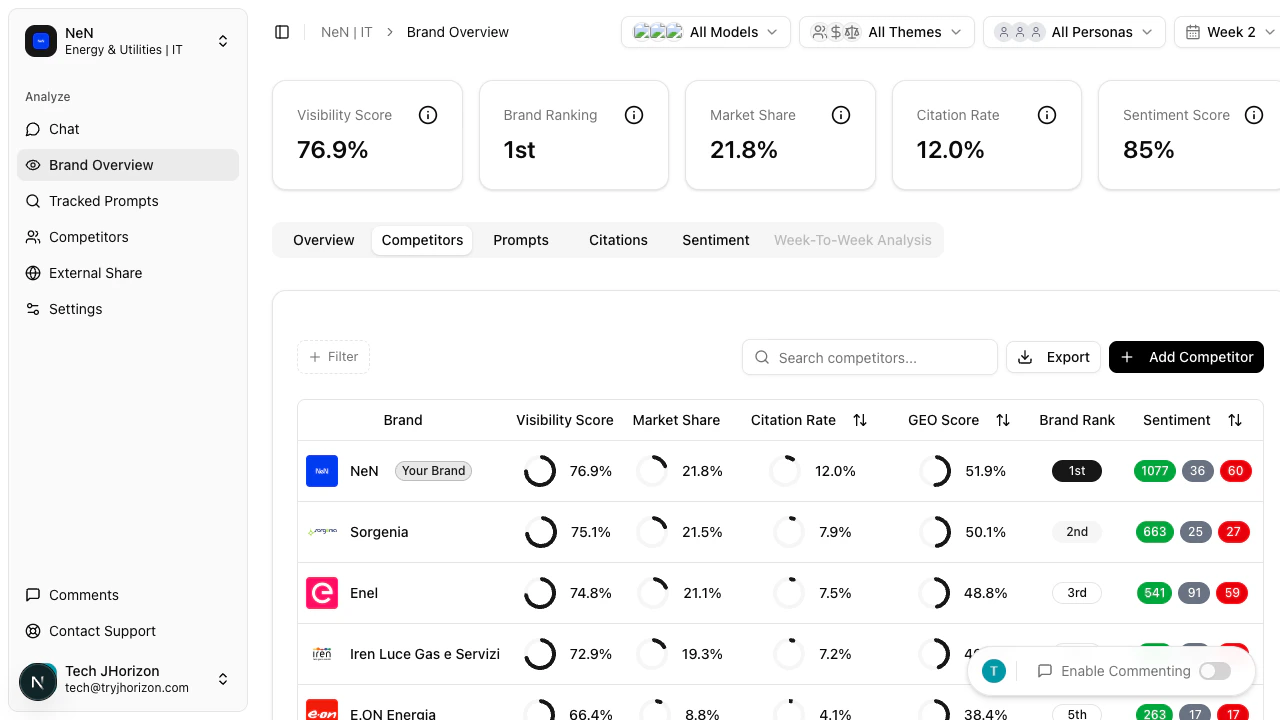
Reading the comparison table
Switch to the Competitors tab on the dashboard to view the following columns:Sorting results
Click any column header to sort the table in ascending order. Click the same header again to switch to descending order. This lets you quickly identify which competitor leads in a specific metric.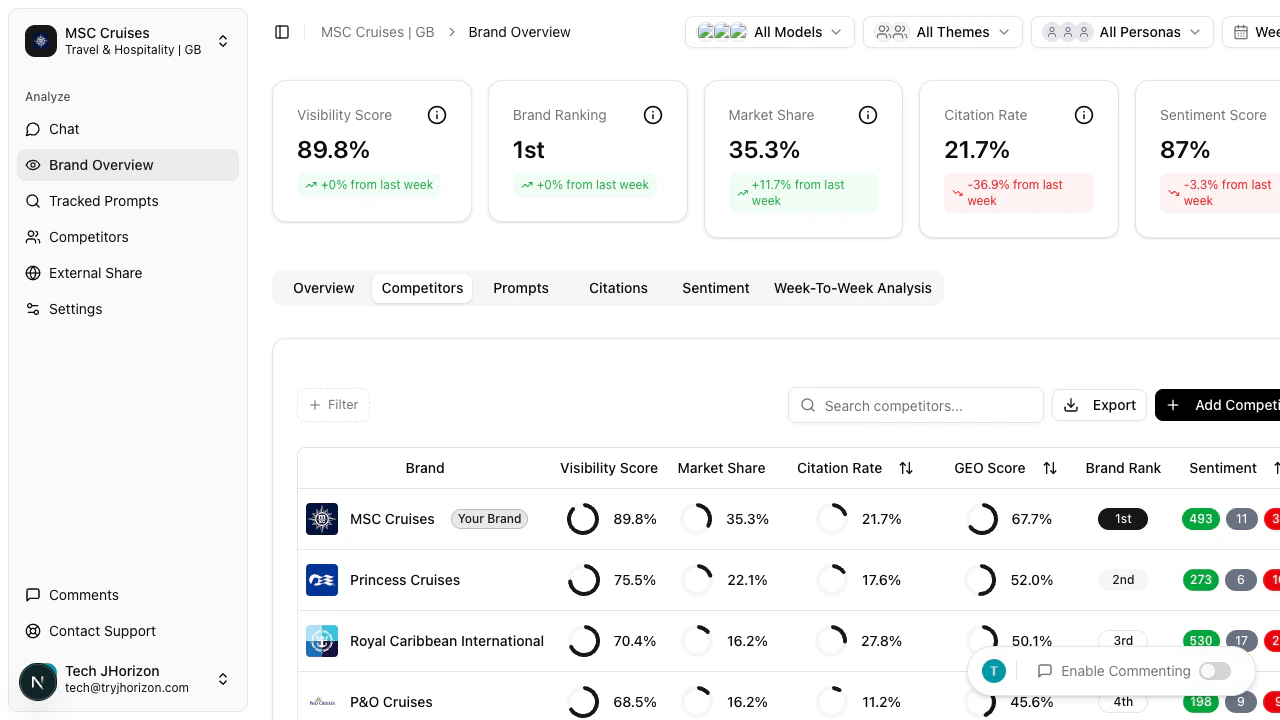
Adding competitors
The table includes all competitors configured in your organization settings. To add or manage competitors, go to Competitive intelligence or Add competitors directly.Changes to your competitor list take effect on the next analysis run. Newly added competitors do not appear retroactively in historical data.