

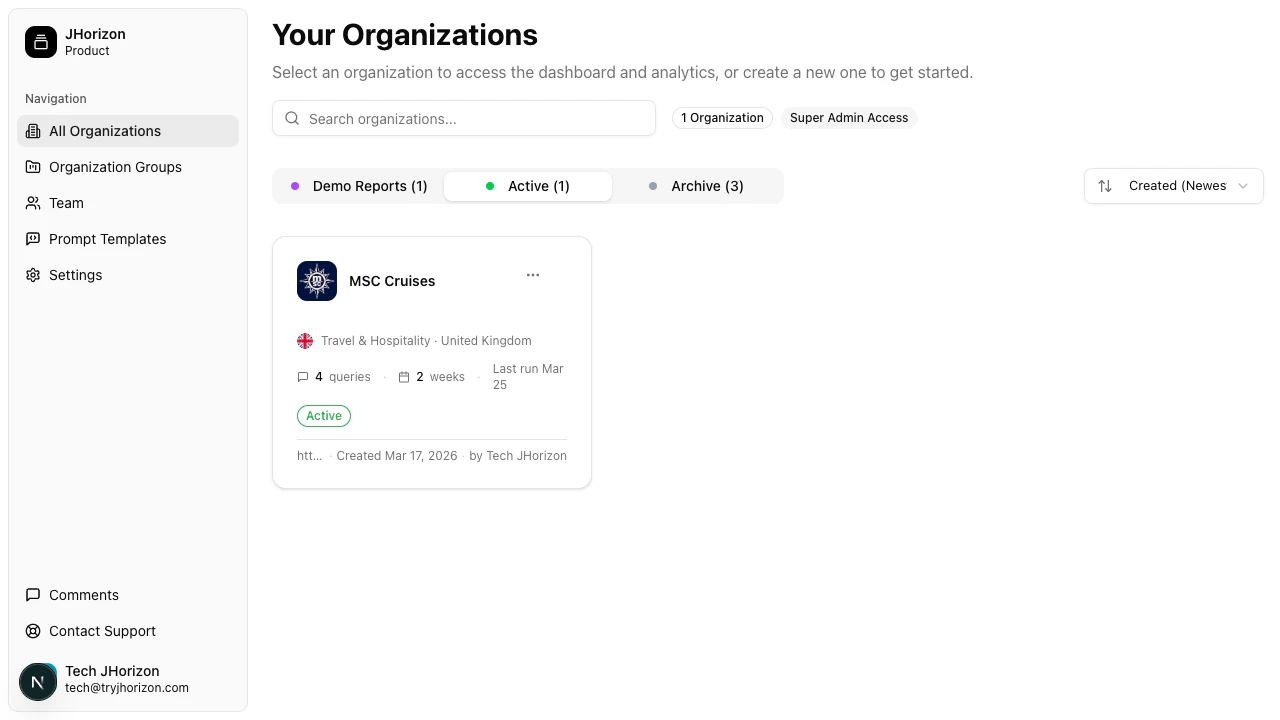
Company and organization hierarchy
Your company is the top-level account in J-Horizon. A company contains one or more organizations, where each organization represents a different brand you want to track. For example, a holding company with three product lines would create three separate organizations — one for each brand. Each organization has its own dashboard, tracked prompts, competitors, and visibility data.Organization card
Each organization appears as a card in your organizations list. The card displays:- Brand name — The name of the brand being monitored
- Logo — The brand’s logo, pulled from the website or uploaded manually
- Industry — The industry category assigned during setup
- Country — The primary market for this brand
- Analysis frequency — How often J-Horizon runs analysis on this brand
- Last run date — When the most recent analysis completed
- Status badge — The current state of the organization
Organization statuses
Every organization has one of three statuses:Next steps
Create an organization
Set up a new brand for AI visibility monitoring.
Manage organizations
Sort, filter, group, and change the status of your organizations.