> ## Documentation Index
> Fetch the complete documentation index at: https://knowledge.tryjhorizon.com/llms.txt
> Use this file to discover all available pages before exploring further.
# Competitor comparison
> Compare your brand's AI visibility against competitors in a sortable table.
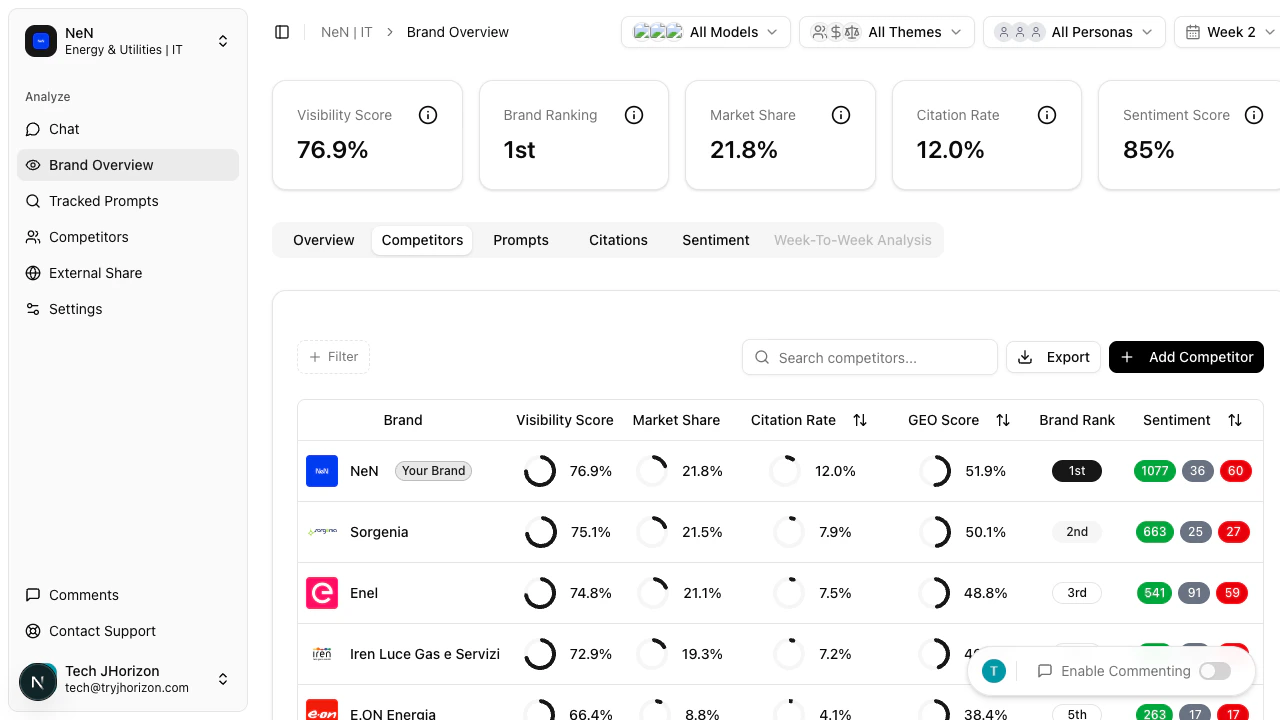
The **Competitors** tab provides a side-by-side comparison of your brand and all tracked competitors in a single sortable table.
 ## Reading the comparison table
Switch to the **Competitors** tab on the dashboard to view the following columns:
| Column | Description |
| -------------------- | ----------------------------------------------------------- |
| **Brand** | The brand name |
| **Visibility Score** | Overall AI presence score |
| **Market Share** | Percentage of AI mentions relative to all tracked brands |
| **Citation Rate** | How frequently sources are cited when AI mentions the brand |
| **GEO Score** | Geographic performance across markets |
| **Brand Rank** | Position among all tracked competitors |
| **Sentiment** | Overall brand perception in AI-generated responses |
## Sorting results
Click any column header to sort the table in ascending order. Click the same header again to switch to descending order. This lets you quickly identify which competitor leads in a specific metric.
## Reading the comparison table
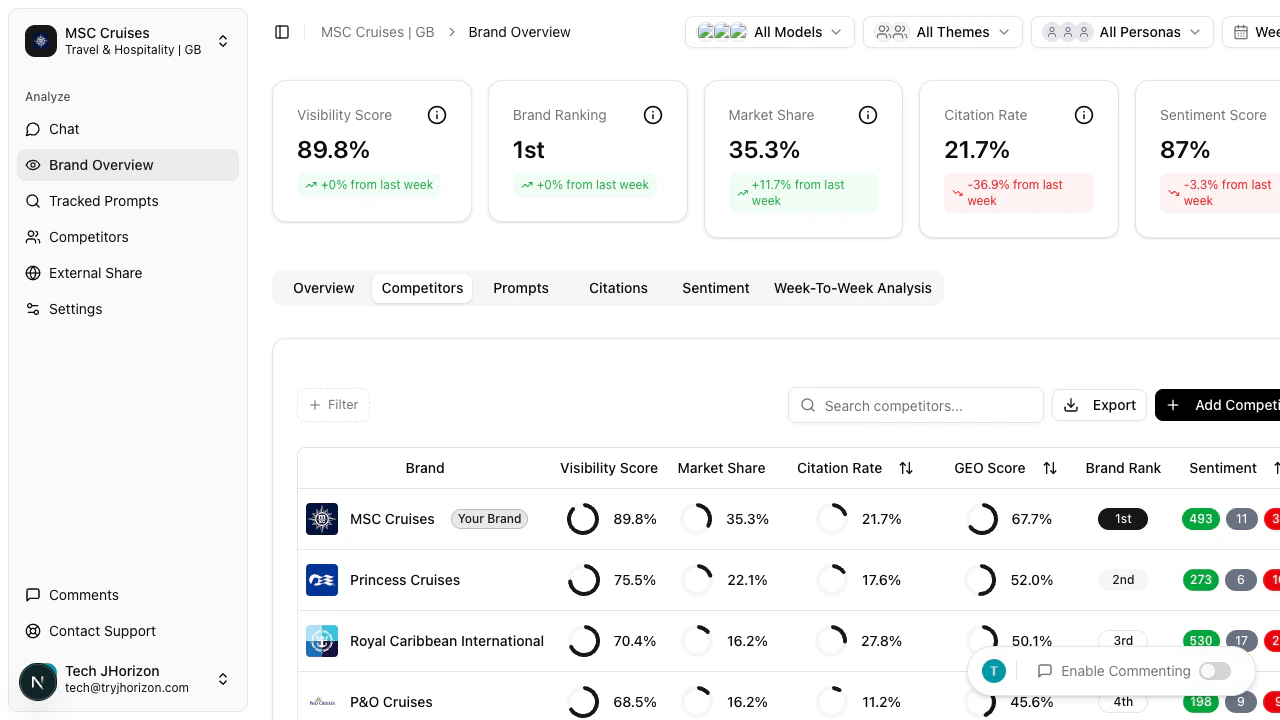
Switch to the **Competitors** tab on the dashboard to view the following columns:
| Column | Description |
| -------------------- | ----------------------------------------------------------- |
| **Brand** | The brand name |
| **Visibility Score** | Overall AI presence score |
| **Market Share** | Percentage of AI mentions relative to all tracked brands |
| **Citation Rate** | How frequently sources are cited when AI mentions the brand |
| **GEO Score** | Geographic performance across markets |
| **Brand Rank** | Position among all tracked competitors |
| **Sentiment** | Overall brand perception in AI-generated responses |
## Sorting results
Click any column header to sort the table in ascending order. Click the same header again to switch to descending order. This lets you quickly identify which competitor leads in a specific metric.
 ## Adding competitors
The table includes all competitors configured in your organization settings. To add or manage competitors, go to [Competitive intelligence](/competitive-intelligence/overview) or [Add competitors](/competitive-intelligence/add-competitors) directly.
Changes to your competitor list take effect on the next analysis run. Newly added competitors do not appear retroactively in historical data.
## Adding competitors
The table includes all competitors configured in your organization settings. To add or manage competitors, go to [Competitive intelligence](/competitive-intelligence/overview) or [Add competitors](/competitive-intelligence/add-competitors) directly.
Changes to your competitor list take effect on the next analysis run. Newly added competitors do not appear retroactively in historical data.